pfSense Open NAT for Xbox (Double NAT)
This shows how to make Xbox get Open NAT on pfSense in a double-NAT mobile broadband setup. It also applies to PlayStation and other devices that require open NAT.
If you're curious, see Easy NAT (Endpoint-Independent NAT mapping).
To get Open NAT you need two things:
- NAT mapping
- Open firewall ports
If the images are blurry, open them in a new tab.
Fix NAT mapping
By default, pfSense randomizes the source port, so each connection uses a different port.
- Go to Firewall > NAT > Outbound
- Find Outbound NAT Mode and select Hybrid Outbound NAT
- Click Save
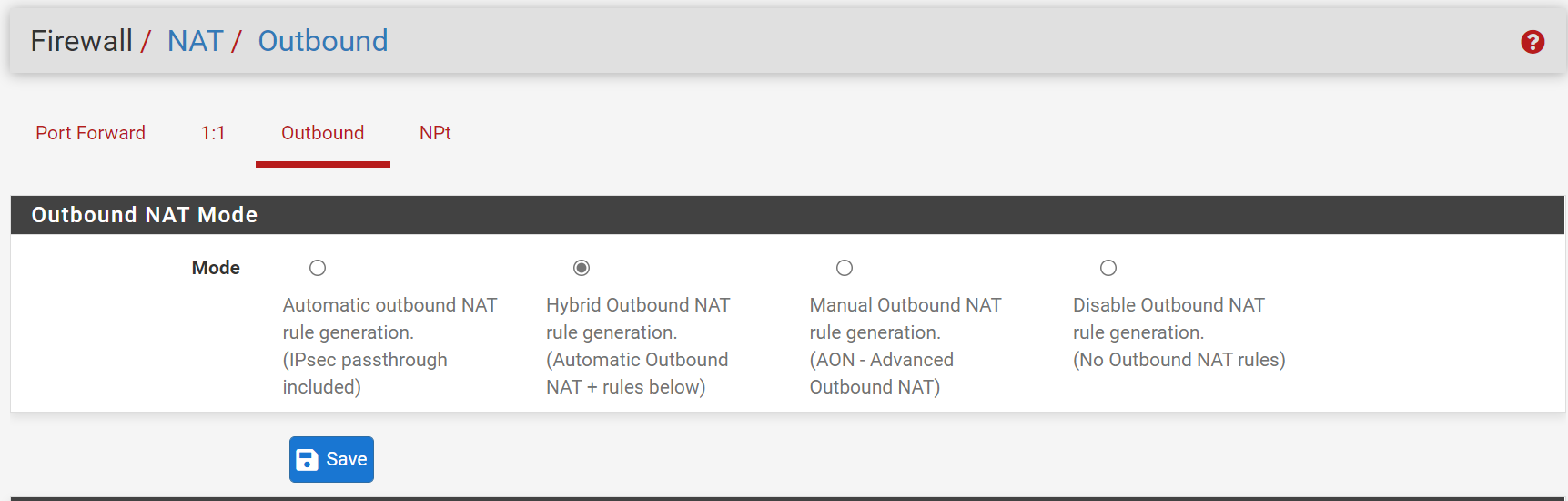
- Under Mappings, add a rule
- Configure as shown below. Set Source to the Xbox LAN IP with mask 32. In Translation, check Static Port.
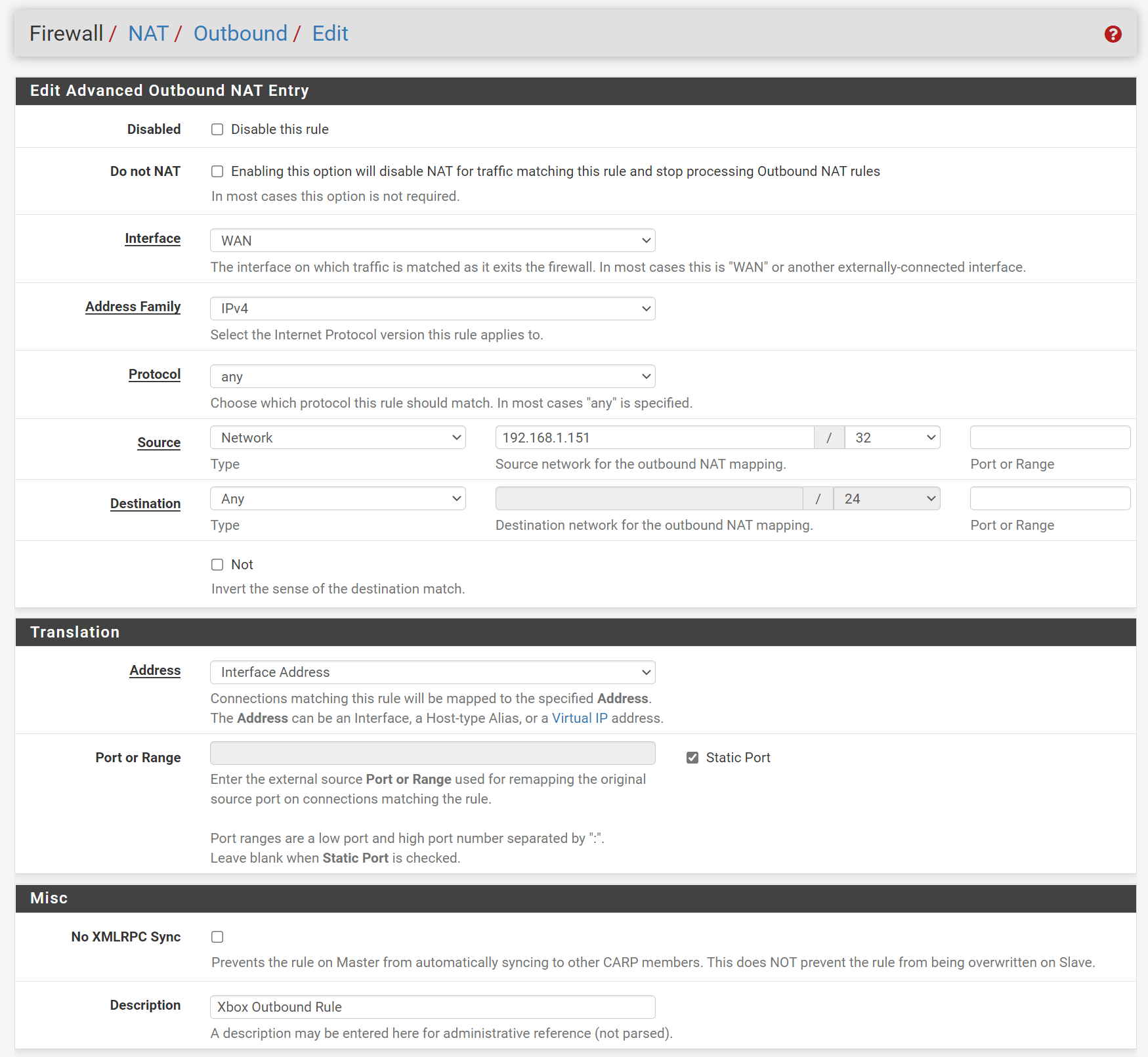
- Click Save, then Apply Changes if prompted
You can also achieve this with 1:1 NAT, but it adds unnecessary exposure and traffic.
Enable automatic port opening (UPnP)
pfSense's built-in miniupnp refuses to work when the WAN IP is private (common in China). Use this workaround:
- Go to Services > UPnP & NAT-PMP
- Configure UPnP & NAT-PMP Settings as shown, and set Override WAN address to any public IP
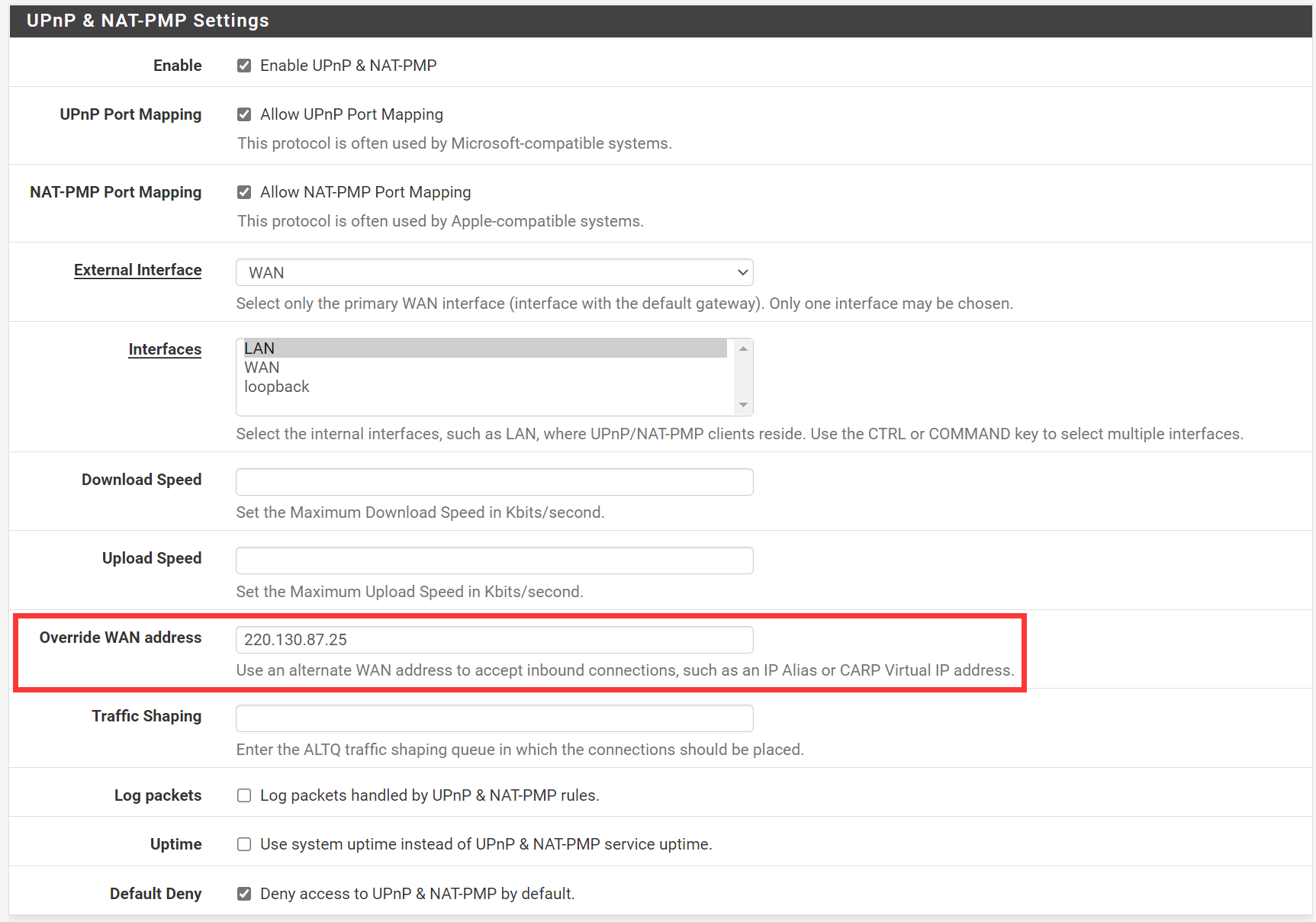
- Do not enable STUN
- In UPnP Access Control Lists, set ACL Entries to:
allow 1024-65535 192.168.1.151/32 1024-65535
Replace 192.168.1.151 with your Xbox IP.
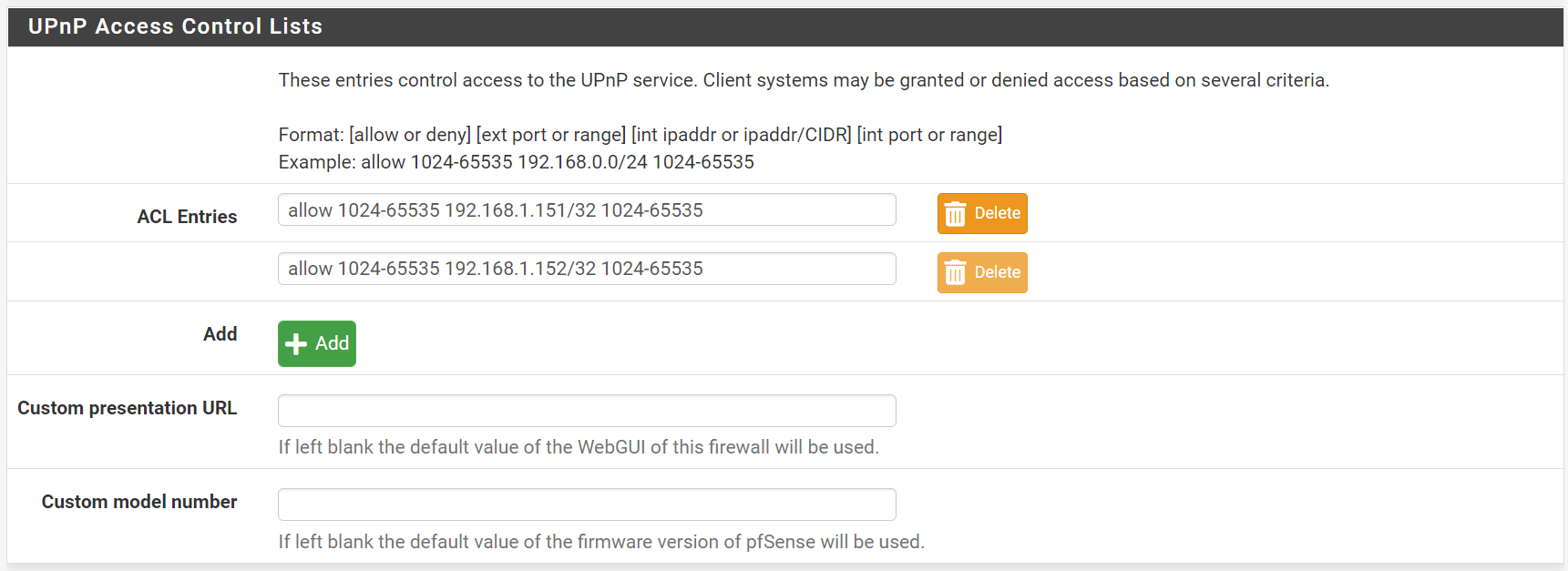
- Click Save, then Apply Changes if prompted
- Run NAT test on Xbox, then check Status > UPnP & NAT-PMP on pfSense to confirm mappings
This essentially tricks miniupnp to think you have a public IP. In practice it does switch Xbox to Open NAT, but it will also return the fake IP to clients, and the impact is unclear.